Adam4Adam is a popular online dating platform designed for the gay and bisexual community, providing a rich environment for socializing, chatting, and forming meaningful connections. However, like any digital platform, users may occasionally face login issues that can disrupt their experience. This comprehensive guide aims to help users troubleshoot and resolve common Adam4Adam login problems swiftly and securely, ensuring continuous access to their accounts.
Common Adam4Adam Login Issues
Many login problems on Adam4Adam stem from a few typical scenarios including:
Forgotten username or password
Browser auto-complete storing outdated credentials
Account lockouts or security holds
Server-side outages or maintenance
App-specific bugs or outdated versions
Understanding these common issues can help users apply the right fix and regain access without delay.
Step-by-Step Troubleshooting Guide
Check Your Username and Password
Incorrect credentials are the most common cause of login failure. Often, auto-complete features in browsers may save outdated usernames or passwords if you recently updated them. Clear your browser’s auto-complete data or type your login details manually to avoid this issue. Also, ensure Caps Lock is off and keyboard layout is correct.
Use the ‘Forgot Password’ Feature
If you cannot remember your password, visit Adam4Adam.com or open the Adam4Adam app and click or tap the “Forgot Password?” link below the login form. Enter the email address associated with your account, and Adam4Adam will send a password reset link. Check your spam or junk folder if you do not see the reset email promptly. Whitelist [email protected] in your email to ensure delivery.
Clear Browser Cache and Cookies
Old cache and cookies can cause login issues due to stale session data. Clearing them often fixes such problems. In your browser settings, clear cookies and cached files related to Adam4Adam, then reload the website and try logging in again.
Update or Reinstall the App
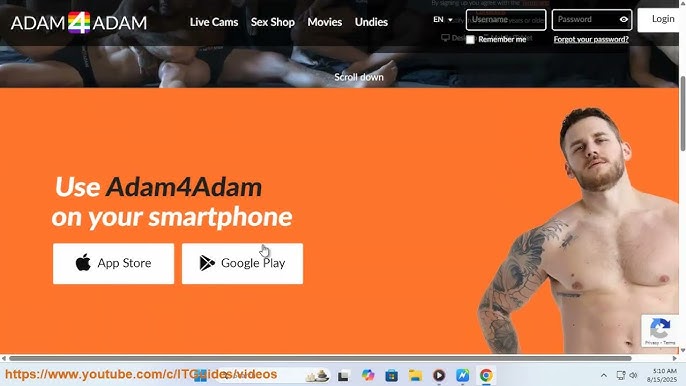
For app users, running an outdated version of the Adam4Adam app may cause crashes or login failures. Update the app via the Google Play Store or Apple App Store. If problems persist, uninstall and reinstall the app to clear corrupted data.
Temporarily Disable Browser Extensions or VPNs
Sometimes browser extensions or active VPN connections interfere with login processes. Disable all extensions or VPN services temporarily and try logging in. If successful, enable them one by one to identify the culprit.
Ensure Your Account Is Not Locked or Suspended
Repeated failed login attempts sometimes trigger temporary account locks for security. Contact Adam4Adam support through their official Help Center if you suspect your account is locked or suspended. Have your account details ready for verification.
Check Adam4Adam Server Status
Occasionally, Adam4Adam’s servers may experience outages or maintenance downtimes. You can check the platform’s official social media channels or use third-party tools to monitor website uptime status. If the servers are down, wait for the team to resolve the issue and try logging in later.
Use the Correct Website URL
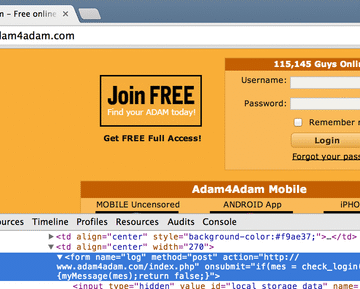
Ensure you are accessing the official Adam4Adam website at www.adam4adam.com. Avoid unofficial or misspelled domain names like adam4adam.copm, which may be fraudulent or insecure.
Additional Security Tips for Logging In
Always use a strong, unique password for your Adam4Adam account.
Avoid login on public or shared computers without logging out afterward.
Enable two-factor authentication if Adam4Adam offers it.
Regularly update your password and account recovery information.
Contacting Adam4Adam Support
If all troubleshooting steps fail, contacting Adam4Adam support team is the best course of action. Provide clear details about your issue, steps you have taken, and any error messages encountered. Use the official support channels linked from the Adam4Adam website to avoid scams.
Read More: LGBTQ Dating and Social Networking App Market in 2025: Size, Growth, and Opportunities
Conclusion
Troubleshooting Adam4Adam login issues doesn’t have to derail your dating experience—most problems stem from simple fixes like clearing cache or resetting passwords, as outlined in these steps. By following this 2025 guide, users regain access quickly, avoiding common pitfalls like outdated apps or VPN blocks that affect 30% of LGBTQ+ daters. Stay proactive: bookmark this page, enable two-factor authentication post-login, and check Adam4Adam’s official help center for outages to keep connections seamless.
FAQ Section
Why is my Adam4Adam login showing “invalid credentials”?
This often happens due to browser autocomplete errors or recent password changes—clear cookies, disable “Remember Me,” and use the “Forgot Password” link on adam4adam.com.
How do I fix Adam4Adam app login crashes?
Force close the app, update to the latest version via app store, clear cache/storage, or reinstall; toggle internet/plane mode if connectivity lags.
What if Adam4Adam says my account is suspended?
Accounts suspend for incomplete info or violations—email [email protected] with your username; avoid spam reports by verifying profiles first.
Is Adam4Adam down or is it my device?
Check status via DownDetector or Adam4Adam’s socials; common fixes include VPN off, browser incognito, or waiting 10-30 minutes for server recovery.
Can I prevent future Adam4Adam login problems?
Use strong, unique passwords, enable “Remember Me” after fixes, update apps weekly, and test logins across devices for seamless gay dating access.
What does Adam4Adam error code 401 mean during login?
Error 401 indicates unauthorized access, often from IP blocks or VPN use—disable VPN, switch networks, or contact support if persistent.
Why won’t Adam4Adam accept my email for password reset?
Check spam/junk folders for the reset link, ensure email matches registration, and wait 5-10 minutes; use alternate email if compromised.
How to fix “too many failed login attempts” on Adam4Adam?
Wait 15-30 minutes for lockout reset, clear site data, or use incognito mode; enable 2FA afterward to prevent brute-force attacks.
Is Adam4Adam login slower on mobile vs desktop?
Mobile lags from app cache buildup—clear app data, update OS/browser, or use desktop site; WiFi over data boosts speed 2x.
What if my Adam4Adam profile disappears after login?
Visibility hides inactive profiles—log out/in, check privacy settings, or verify email; report via app if hacked.
Can browser extensions block Adam4Adam login?
Ad blockers or privacy tools like uBlock interfere—disable extensions temporarily, whitelist adam4adam.com, then retry.
How to recover a deleted Adam4Adam account for login?
Deleted accounts are permanent after 30 days—create new with same email if available; back up chats externally first.